
My Arkevia displays a white screen, refuses a correct password, or takes several minutes to load a simple payslip. These issues are not isolated cases. On review platforms, the rating of myarkevia.com remains consistently low, and user feedback points to recurring access problems related to login, reset delays, and incomplete downloads.
Before seeking support, which can take several weeks to respond, some technical checks can often resolve the situation on your own.
Two distinct Arkevia portals: a confusion that blocks login
The first instinct when the login fails is to check the address entered in the browser’s address bar. Arkevia relies on two separate portals that have similar interfaces but do not accept the same credentials.
myarkevia.com is the portal reserved for employees. This is where payslips and HR documents uploaded by the employer can be found. The second portal, arkevia.com (without the “my”), is aimed at companies and payroll managers. Entering personal credentials on the wrong portal will systematically result in a denial, without an explicit error message.
For those looking for a solution to My Arkevia payslip bugs, this URL verification is a crucial starting point not to be overlooked. It alone resolves a significant portion of the connection failures reported by users.
Browser and cache: technical settings that prevent My Arkevia from displaying
When the address is correct but the page remains blank or loops, the problem is generally on the browser side. My Arkevia uses scripts that require an up-to-date browser and enabled cookies.
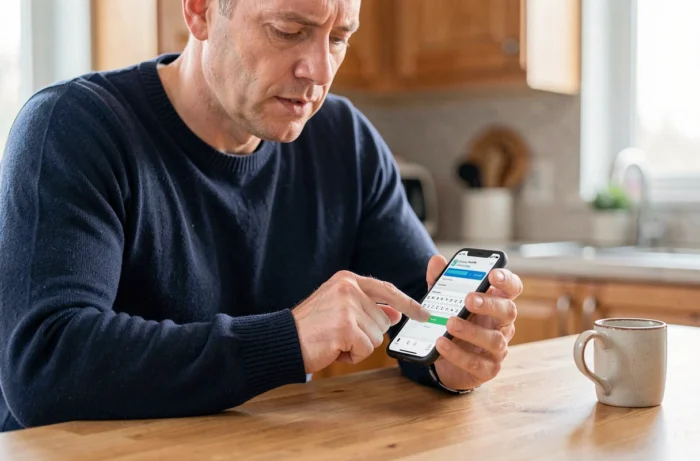
Three points to check in order:
- The browser version. Chrome, Firefox, and Edge in their recent versions work correctly with the platform. A browser that hasn’t been updated for several months may block the loading of the login page or cause partial display.
- The cache and cookies. A saturated cache retains outdated versions of web pages. Clearing the cache and cookies specific to myarkevia.com, then restarting the browser, is sufficient in most cases to restore access.
- Security extensions. Some ad blockers or privacy protection extensions intercept login scripts. Temporarily disabling these extensions helps isolate the cause of the blockage.
A quick test is to open a private browsing window. This mode automatically disables the cache, stored cookies, and most extensions. If the login works in private browsing, the problem indeed lies with one of these three elements.
Expired activation link and My Arkevia password reset
The first login to My Arkevia is initiated through an activation email sent by the employer. This link has a limited validity period. After this period, clicking on it leads to an error page or has no effect.
The activation email does not always arrive in the main inbox. Anti-spam filters in both professional and personal email accounts often classify messages from Cegedim (the publisher of Arkevia) as junk. Checking the spam, promotions, or notifications folders before concluding that there is a malfunction avoids unnecessary waiting.
If the link has expired, the standard procedure is to request a resend via the “forgot password” function on myarkevia.com. User experiences vary on this point: some receive the new link within minutes, while others report delays of several hours or even no receipt at all. In this case, contacting the HR department of one’s company remains the most reliable lever to trigger a new send directly from the employer interface.
Blocked reset: common errors
When creating a new password, the platform imposes complexity criteria (minimum length, special characters, uppercase letters). A password rejected without a clear explanation is often related to the failure to meet an unseen criterion. Testing a password of at least twelve characters mixing letters, numbers, and symbols reduces this risk.
Another trap: using an old password. Arkevia refuses the reuse of the last recorded codes, but the associated error message is not always explicit.
Legal obligations regarding the availability of electronic payslips
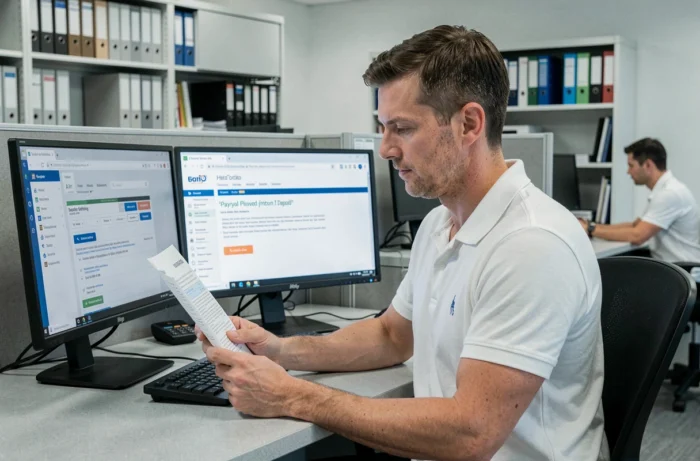
Beyond the mere technical inconvenience, the inability to access payslips in a digital vault raises a regulatory question. Article D3243-8 of the Labor Code mandates that payslips provided electronically remain accessible for fifty years or until the employee turns seventy-five. This guarantee of availability applies even after leaving the company.
Since July 1, 2023, each payslip, including electronic ones, must include the mention of the net social amount. Its absence constitutes an infringement for the employer. An employee who cannot verify the compliance of their payslips due to a prolonged access bug can legitimately alert their HR department by invoking this obligation.
If Arkevia support (reachable at [email protected]) does not respond within a reasonable timeframe, the employer remains responsible for the effective provision of the documents. The employee can request a paper copy or alternative access. This employer responsibility is often an overlooked lever to expedite the unlocking of an account.
When Arkevia support does not respond: involve your employer
Recent reviews on rating platforms confirm a finding: Arkevia’s technical support struggles to handle requests in a timely manner. Several weeks of waiting are regularly reported.
The most effective approach is to go through the payroll or HR department of one’s company. These contacts have administrator access to the Arkevia platform and can:
- Verify that the employee account is active and linked to the correct legal entity
- Resend an activation link or force a password reset from the employer interface
- Confirm that the payslips have indeed been deposited in the digital vault
- Escalate the issue directly with Cegedim with a higher priority level than an individual request
A persistent access bug despite all these checks may indicate a server-side problem or ongoing technical migration. In this case, the only option remains to wait for a fix from the publisher while requesting a temporary transmission of documents through another channel from the employer.